clipforge
Browser media command line
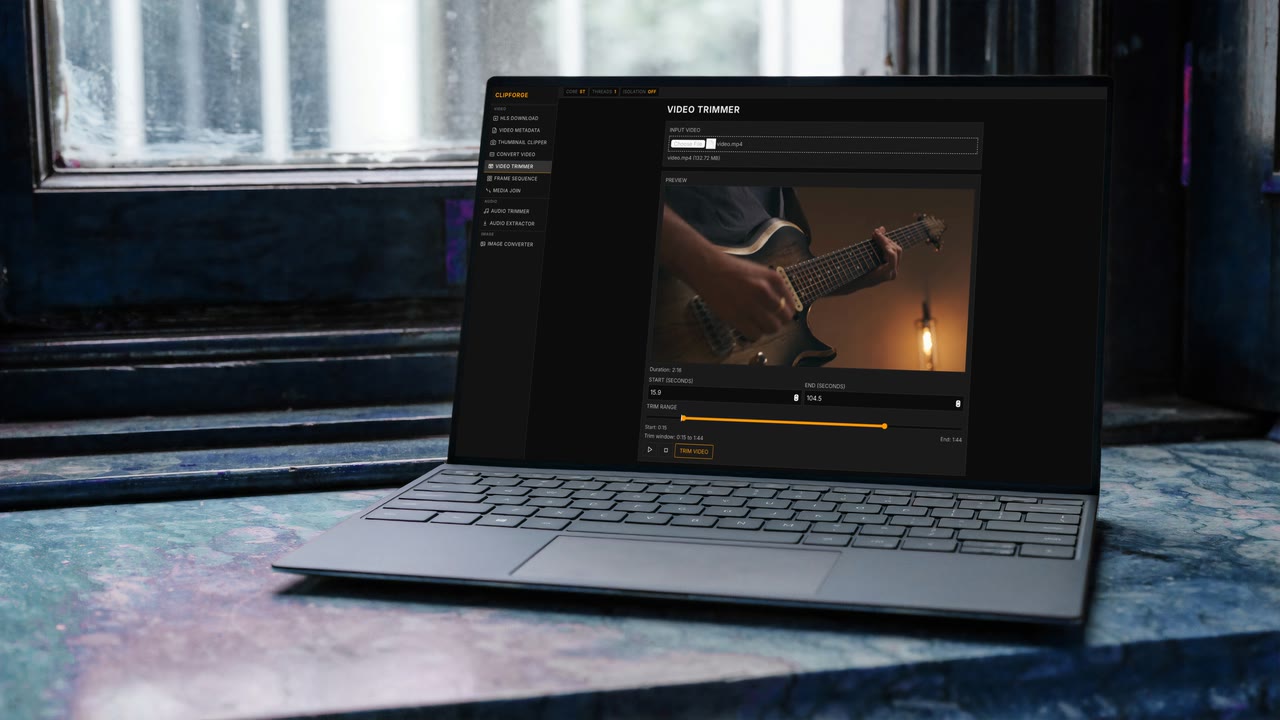
ClipForge is a browser-first media lab built with Vue + Vite that delivers a catalog of FFmpeg.wasm utilities for clipping, transcoding, metadata inspection, and lightweight image workstreams directly in the client.
Demo
About
ClipForge is a modular media toolbox that runs entirely in the browser. Every tool - from the thumbnail clipper and trimmer to audio extractors and HLS downloaders - is defined in a single registry so new workflows appear instantly across the sidebar, routing, and runtime.
The UI is built with Vue 3 + Vuetify, while ffmpeg-powered operations route through a shared
ffmpegService that manages loading cores, thread counts, and fallback logic. Lightweight image tasks stay
browser-native so users get instant feedback without shipping files to a backend.
A persistent runtime status bar broadcasts FFmpeg health (core mode, threads, isolation status, and last processing strategy) so creators always understand what the WASM runtime is doing. Cross-origin isolation headers are documented directly in the project to keep multi-threaded execution stable during deploys.
Under the hood, ClipForge follows a safe-first strategy: copy/remux/extract operations are attempted before heavy transcodes, with clear warnings when the runtime needs to escalate work. This keeps browser sessions responsive even when working with long-form source material.
Features
Registry-driven tools
The tool registry defines every media utility and feeds the sidebar, routing, and icons so new workflows launch in one place.
FFmpeg status bar
A live status strip shows which FFmpeg core is loaded, isolation state, thread usage, and fallback strategy during every operation.
COOP/COEP ready
Guidance for Cross-Origin Isolation headers ensures multi-threaded FFmpeg kernels stay enabled in Chromium builds.
Safe-first execution
Copy/remux/extract paths run first with automatic fallback to heavier transcode routines when absolutely required.